warungtotoAndroid & iOS App
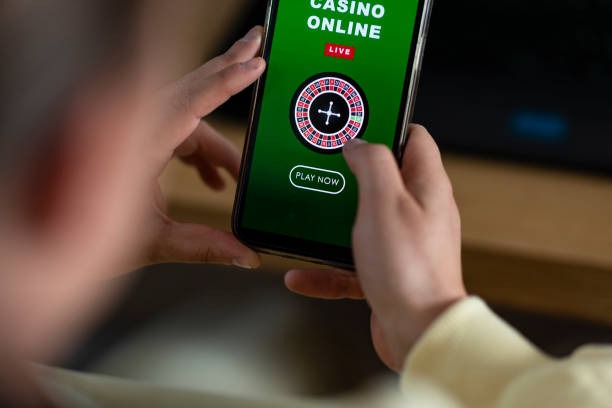
Our warungtoto app brings football markets, live-dealer tables, slots, and esports into your pocket on Android and iOS devices. Mobile access lets you follow Liga 1, Piala AFF, and Champions League matches in real time, manage deposits via e-wallet, mobile banking, local payment, online payment, e-wallet, mobile banking, local payment, online payment, e-wallet, or mobile banking, and track your tier-based cashback without interruption. We provide three paths to access warungtoto on mobile: native Android APK installation, iOS browser-based access, or progressive web-app (PWA) installation on either platform.

- SHA256 Match
- Update
- DownloadAPK
- StartFirst Game
Mobile-first design means faster load times, smoother game transitions, and offline-ready features such as cached bet slips and push notifications for live match updates. Your account, tier status, and payment history sync seamlessly across devices. Whether you install the Android app, use Safari on iOS, or access the web version from Bandung, Jakarta, Medan, or any supported region, your warungtoto data and settings stay in sync.
This guide walks through Android APK installation, iOS browser setup, device requirements, common troubleshooting steps, and account security on mobile. Our support team can assist with any installation or account access questions via in-app chat or email.
Installation Paths for warungtoto Mobile
Android APK Download and Installation
We distribute the warungtoto Android app as an APK file directly from our website. Download the file to your Android device (Android 7.0 or later), then tap the file to install. You may see a security prompt asking permission to install from unknown sources; enable this in your device Settings under Security or Apps, then retry installation. Once installed, the app appears on your home screen and can be launched like any native app. You receive push notifications for match updates, cashback credits, and withdrawal confirmations without needing to open the app.
iOS Browser and Progressive Web App (PWA)
On iOS devices (iPhone, iPad — iOS 12 or later), open Safari and navigate to warungtoto.app. The site detects your device and displays a prompt offering installation as a home-screen app. Tap "Add to Home Screen" and confirm. The app installs instantly without visiting the App Store. You can also bookmark warungtoto in Safari for quick access. The PWA version offers nearly all native-app features including offline support, push notifications, and fast-loading menus. iOS users in Surabaya, Semarang, or elsewhere access the full platform with no additional setup beyond the browser.
Installation Steps for Android APK
- Download the warungtoto APK file to your Android device via Settings > Security > Unknown Sources enabled.
- Tap the downloaded APK file and confirm installation when prompted by Android.
- Open the warungtoto app and tap "Create account" or "Member login" if you already have an account.
- After login, verify your account, deposit via your preferred payment method (DANA, e-wallet, mobile banking, local payment, online payment, e-wallet, mobile banking, local payment, online payment, or e-wallet), and begin accessing football markets, live tables, and slots.
Native App vs Browser — Strengths of Each
The warungtoto Android APK app excels at responsiveness and offline capability. Push notifications alert you to Liga 1 kick-offs, cashback credits, and withdrawal approvals even when the app is closed. The app caches your recent bets, tier status, and account balance so you can view them instantly without network delay. Game transitions are faster on native apps because the platform is optimized for each device's processor and memory. You can also set up biometric login (fingerprint or face recognition) on Android for added security and convenience.
Browser and PWA access (iOS Safari, Android Chrome, or desktop) offer flexibility — no installation required, and updates roll out server-side without user action. You can access warungtoto on any device with a browser. The PWA version provides nearly identical speed and notification support as the native app, with the advantage of a smaller footprint and simpler uninstall (just remove the home-screen shortcut). Both methods encrypt data in transit using the same SSL/TLS protocols. Choose the native Android APK for speed and offline support, or the browser path for flexibility and no-install convenience.
Device Compatibility and Requirements
Our warungtoto app runs on Android 7.0 (API level 24) and above, covering the vast majority of active devices. Older Android phones may not support installation; if you see an error, check your device version in Settings > About Phone. iOS users need iOS 12.0 or later on iPhone 5s, iPad Air, or newer devices. Most phones released in the past five years meet these thresholds. If your device is older, you can still access warungtoto via mobile browser without installing an app.

Common Installation Issues and Solutions
If the Android APK fails to install, the most common cause is that "Unknown Sources" is disabled in your device security settings. Go to Settings, select Security or Apps, and enable "Install from Unknown Sources" or "Allow Installation from This Source" (varies by device). After enabling, download the APK file again and tap it to retry. If you see a certificate-trust warning, this is normal for software distributed outside the Google Play Store; verify you downloaded from warungtoto.app and proceed with installation.
On iOS, if "Add to Home Screen" does not appear in Safari, ensure you are using Safari (not Chrome) and that the site has fully loaded. Try refreshing the page, clearing Safari cache (Settings > Safari > Clear History and Website Data), and reopening the site. If installation still fails, restart your iPhone and try again. For both platforms, ensure you have at least 50 MB of free storage space and an active internet connection during installation and first login.
Data, Permissions, and Account Security
The warungtoto app requests permissions for phone storage (to cache game data and bet slips), notifications (to alert you about matches, cashback, and withdrawals), and network access (to connect to our servers). We never request or use your contacts, calendar, or microphone. All sensitive data (ID documents, payment details, transaction history) is encrypted before transmission and storage. Your account password is hashed and never sent unencrypted over the network. Enable biometric login (fingerprint or face recognition) on your device to add an extra security layer; even if someone obtains your password, they cannot access your account without your fingerprint or face.
We recommend enabling two-factor authentication (2FA) on your account via our settings panel. When 2FA is active, any login from a new device requires a confirmation code sent to your registered email or phone. This protects your account if your password is compromised. Keep your device operating system and warungtoto app updated; we release patches for security vulnerabilities and performance improvements regularly. If you suspect unauthorized access to your account, change your password immediately and contact our support team via in-app chat or email to review account activity.
Mobile access to warungtoto offers speed and convenience without sacrificing security. Your data remains encrypted, your account settings sync across devices, and your tier-based cashback accrues in real time whether you access the platform from Medan, Jakarta, or any supported region.
Key Mobile Features on warungtoto
Our warungtoto mobile platform includes live-score updates for Liga 1, Piala Indonesia, Piala AFF, and international fixtures. Tap any match to view odds, bet slips, and live commentary. Access our live-dealer studios (blackjack, roulette, baccarat, Dragon Tiger) with high-quality video streams and real-time dealer interaction. Browse slot games (Aviator, Sweet Bonanza, Gates of Olympus, Fortune Tiger, Mahjong Ways) with quick spin controls and auto-play options. Track your tier progression (Bronze, Silver, Gold, Platinum) and monitor your weekly cashback in the Account dashboard. Deposit using DANA, e-wallet, mobile banking, local payment, online payment, e-wallet, or bank transfer (mobile banking, local payment, online payment, e-wallet) with processing times visible after submission. Your withdrawal requests display status updates in real time.
Native Android APK
- Faster performance and offline caching
- Push notifications for all events
- Biometric login support
Browser / PWA
- No installation required
- Automatic updates
- Works on any device with Safari or Chrome
To get started on warungtoto, download the Android APK or open the site in Safari on iOS, follow the installation steps above, create your account, and verify your identity. Once verified, deposit via your preferred method and access football markets, live tables, slots, and esports. Your account, tier status, and cashback balance stay synchronized across all devices. If you have questions during installation or account setup, reach out to our support team via in-app chat — responses typically arrive within a few hours during business hours.